bSeating - Venue and Location Management
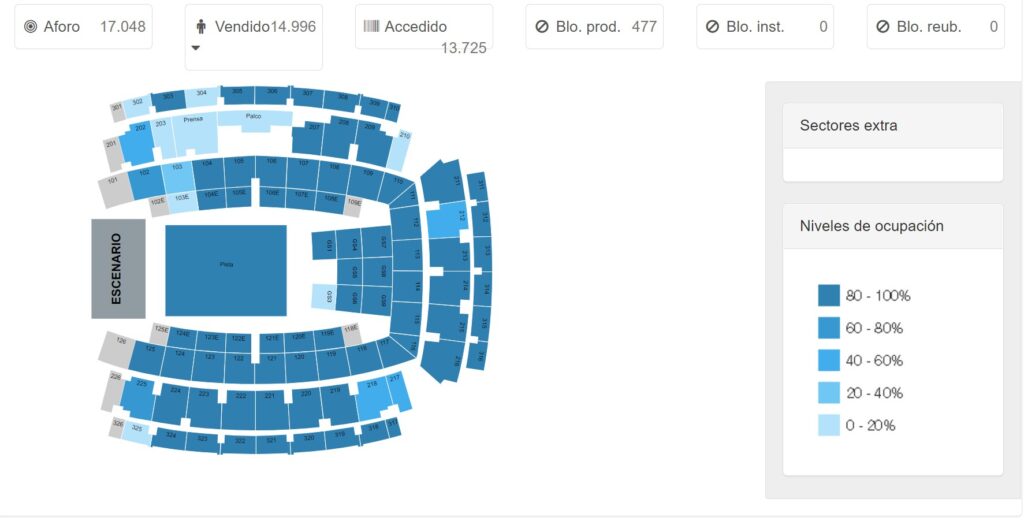
bSeating is an advanced solution that enables real-time control and monitoring of seat occupancy in any venue, ensuring accurate seat distribution and preventing errors in ticket allocation.
When organizing large-scale events, efficient ticket management is key to ensuring a smooth and seamless experience for both organizers and attendees.
Features
Centralized management and real-time updates
bSeating integrates with multiple ticketing platforms such as Ticketmaster, El Corte Inglés, Onebox, and entradas.com, consolidating all sales and occupancy information into a single interface.
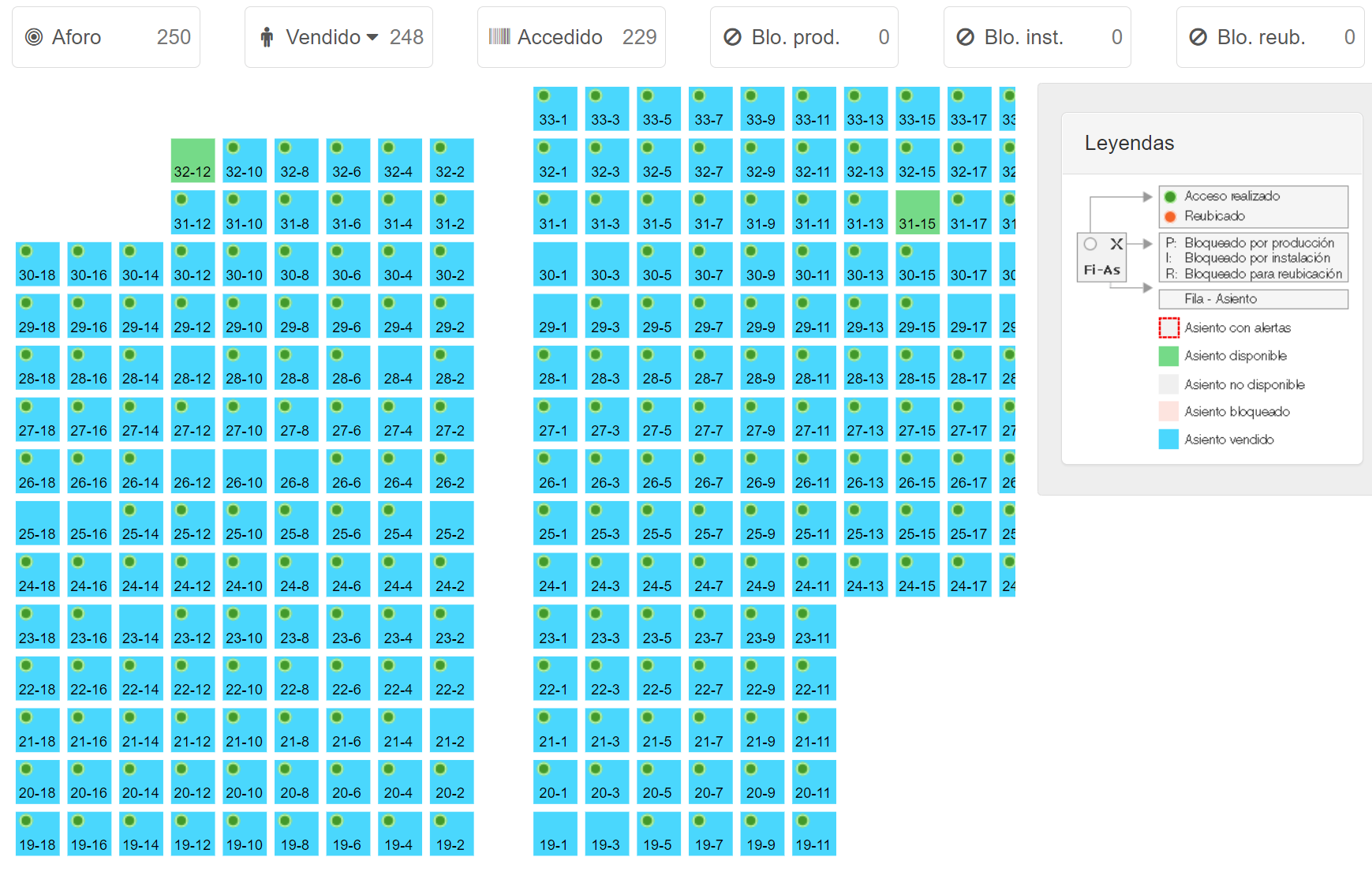
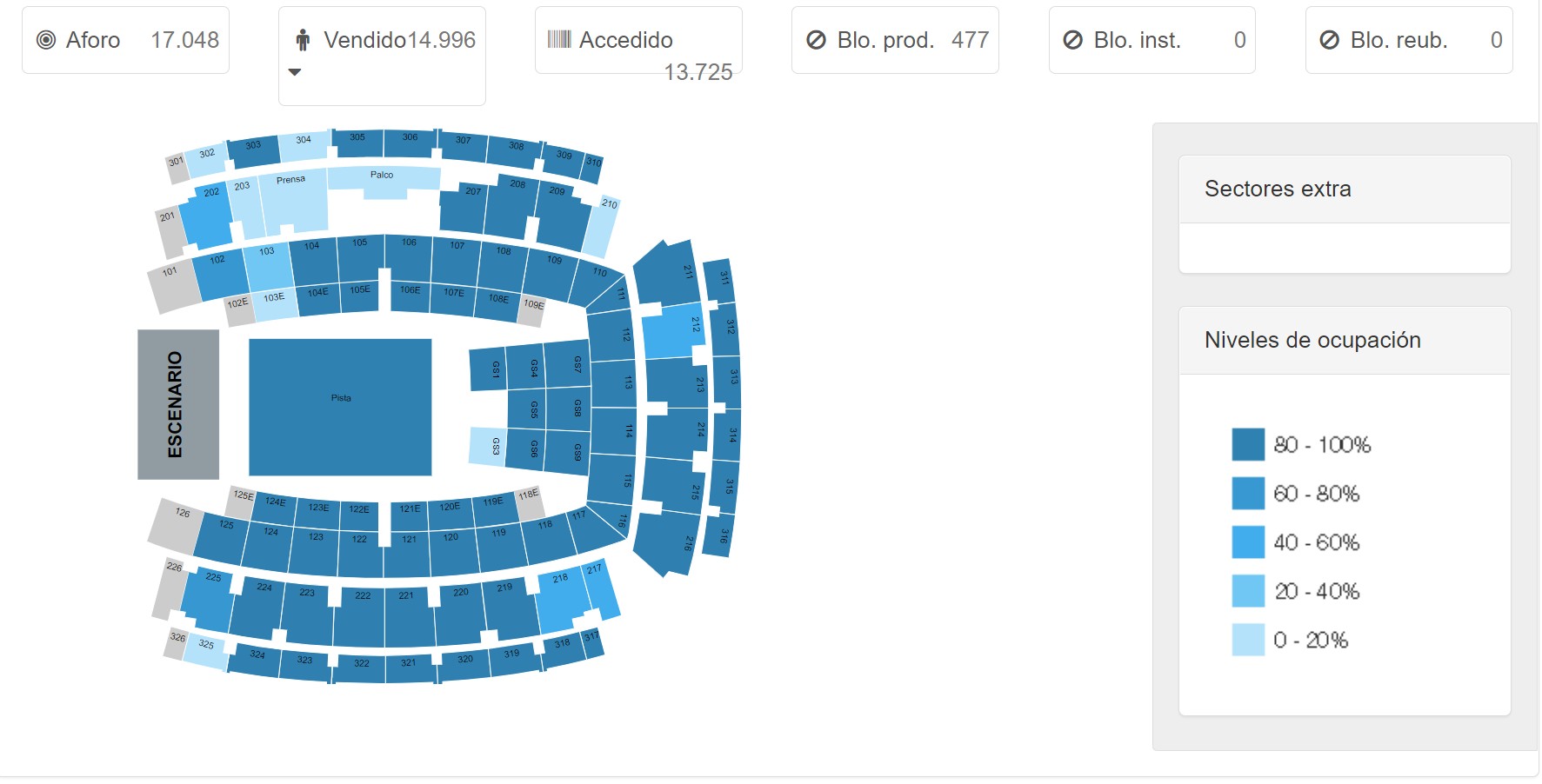
As tickets are purchased, the system updates the status of each seat on an interactive map of the venue, allowing for a clear and structured view of availability.
The system distinguishes between different ticket categories (general sales, invitations, VIP access, etc.), providing detailed control over seat usage and allocation. It also allows you to identify sectors with higher or lower demand.
Incident prevention and management
One of the biggest challenges in seat management is detecting errors in ticket allocation. bSeating provides automatic alerts in cases of:
- Seat sold more than once: Occurs when the same seat has been assigned to more than one buyer, causing conflicts in accessing the event.
- Blocked and Sold Seat: Occurs when a seat that had been reserved or blocked for production, accessibility, or logistical reasons is sold incorrectly.
- Seat unavailable and sold: This occurs when a seat that is not part of the event’s active capacity is assigned to a buyer by mistake.
- Voided and unsold seat: Indicates that a seat has been voided, but still appears in the list of available seats, which can cause allocation inconsistencies.
- Sector not found: Refers to a configuration error where the system does not recognize the sector to which a seat belongs.
- Asiento no encontrado: Ocurre cuando un asiento registrado en el sistema de ticketing no aparece en la base de datos de bSeating, indicando una posible falla en la integración.
- Inactive Sector: Appears when you try to sell or allocate tickets in a sector that is not enabled for the event in question.
- Over capacity: Indicates that the number of tickets issued for an unnumbered sector exceeds the established capacity, which may pose a security and logistical risk.
- Unreported sector: This means that a seat was sold without a clear assignment to a specific sector, preventing it from being correctly located on the venue map.
Estas alertas permiten a los organizadores tomar decisiones rápidas y eficaces para resolver incidencias antes de que afecten la experiencia del usuario. Además, el sistema proporciona herramientas para reprocesar datos, lo que permite corregir inconsistencias de manera ágil.
Monitoring and analysis
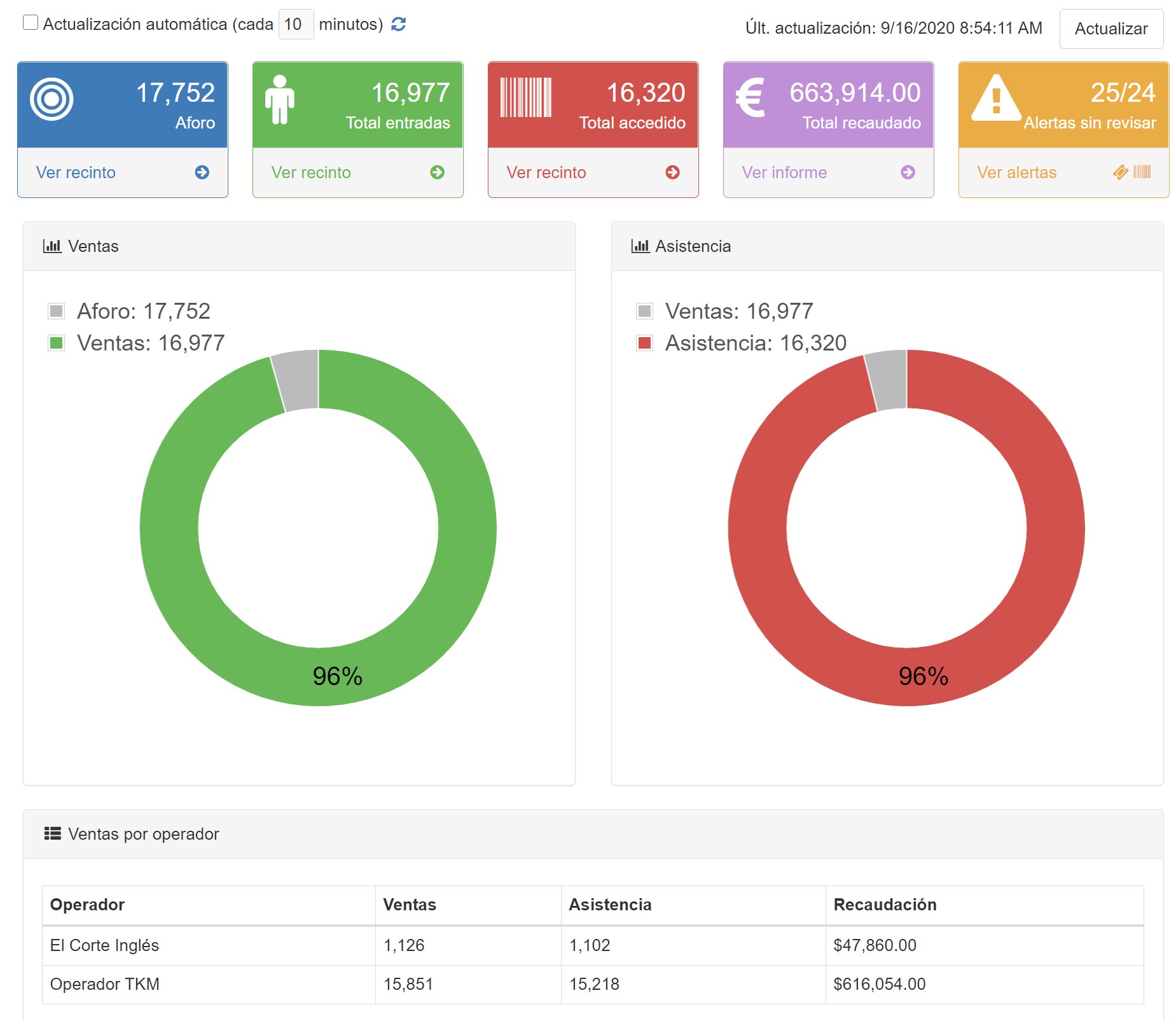
bSeating offers a monitoring dashboard where you can view key event metrics, such as:
- Number of tickets issued and their breakdown by sales channel.
- Maximum capacity and occupancy percentage.
- Record of access to the venue, cross-referencing the information with the access control system.
- Ticketing and entry control alerts, with detailed information on potential inconsistencies.
- Attendees’ access history, with real-time data on checkpoint validations.
The system also allows for comparisons between different events, providing valuable information for improving ticket distribution and space optimization strategies.
Customization and configuration of enclosures
For recurring events, bSeating allows the assignment of capacity templates, facilitating the configuration and customization of each area of the venue. These templates can be adapted to different types of events, adjusting:
- Sectors with numbered seats and general access areas.
- Specific seating configuration in the stalls
- Capacity adjustments in unnumbered areas.
- Definition of VIP areas, courtesy zones, and spaces reserved for accessibility.
Furthermore, in the event of last-minute changes, the system allows for seat status modifications and reprocessing of data to update information in real time, ensuring maximum accuracy in capacity management.
Importing and reprocessing data
For events with sales channels not integrated with bSeating, the system offers the option of manual data import, ensuring that all issued tickets are recorded on the platform. If inconsistencies are detected in the location information, code reprocessing can be performed to align the data with the reality of the event.
bSeating also allows for bulk data uploads, facilitating management when dealing with multi-day events or when a quick adjustment in ticket distribution is required.
Reports and statistics
bSeating has a reporting module that allows you to obtain accurate data on:
- Sales by sector and distribution channel.
- Estimated revenue.
- Seat assignment alerts.
- Occupancy comparisons between different events.
- Historical access data and occupancy trends.
This information is key to strategic decision-making and the optimization of future events, allowing organizers to more efficiently plan ticket sales and distribution.
Conclusions
bSeating is positioned as an indispensable tool for event organizers seeking efficiency, security, and absolute control over venue management. Its ticketing integration capabilities, alert system, and flexibility in venue configuration make it a robust solution for ensuring a seamless experience at any type of show or mass event.
Thanks to its real-time monitoring capabilities, its adaptability to different types of venues, and its focus on incident prevention, bSeating becomes a strategic ally for intelligent capacity and access management at events of any size.
Why Choose Us?
Professionalism and reliability set us apart. Our team is dedicated to the success of every project, bringing vast expertise in developing high-quality solutions that meet the highest performance and security standards.